

You know what gear you need. Do you know where it is?
H3Gear tracks every asset, every location, and every assignment — inspections included — so the answer’s ready before the crew is.
What changes when H3Gear is live
From spreadsheet inventory + paper inspection logs to live asset register tied to projects, inspections, and audit evidence.
- Spreadsheet inventory tracking
- Paper inspection logs and binders
- No link between gear and project assignments
- Manual audit evidence gathering
- Digital asset register with full lifecycle
- Inspection status visible before assignment
- Gear lists tied to projects on H3ightboard
- Audit evidence auto-attached to records
How it works
Three workflows that change your daily operation.
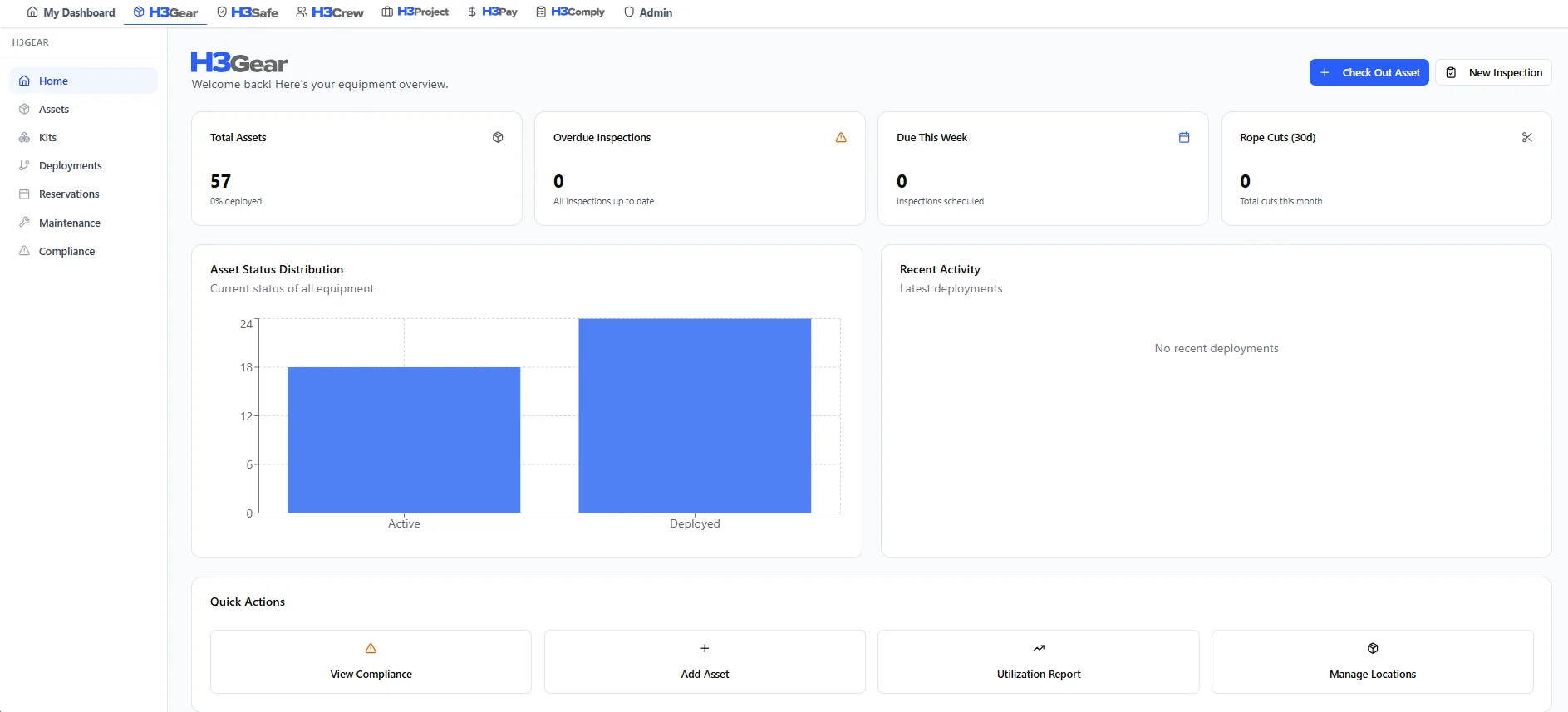
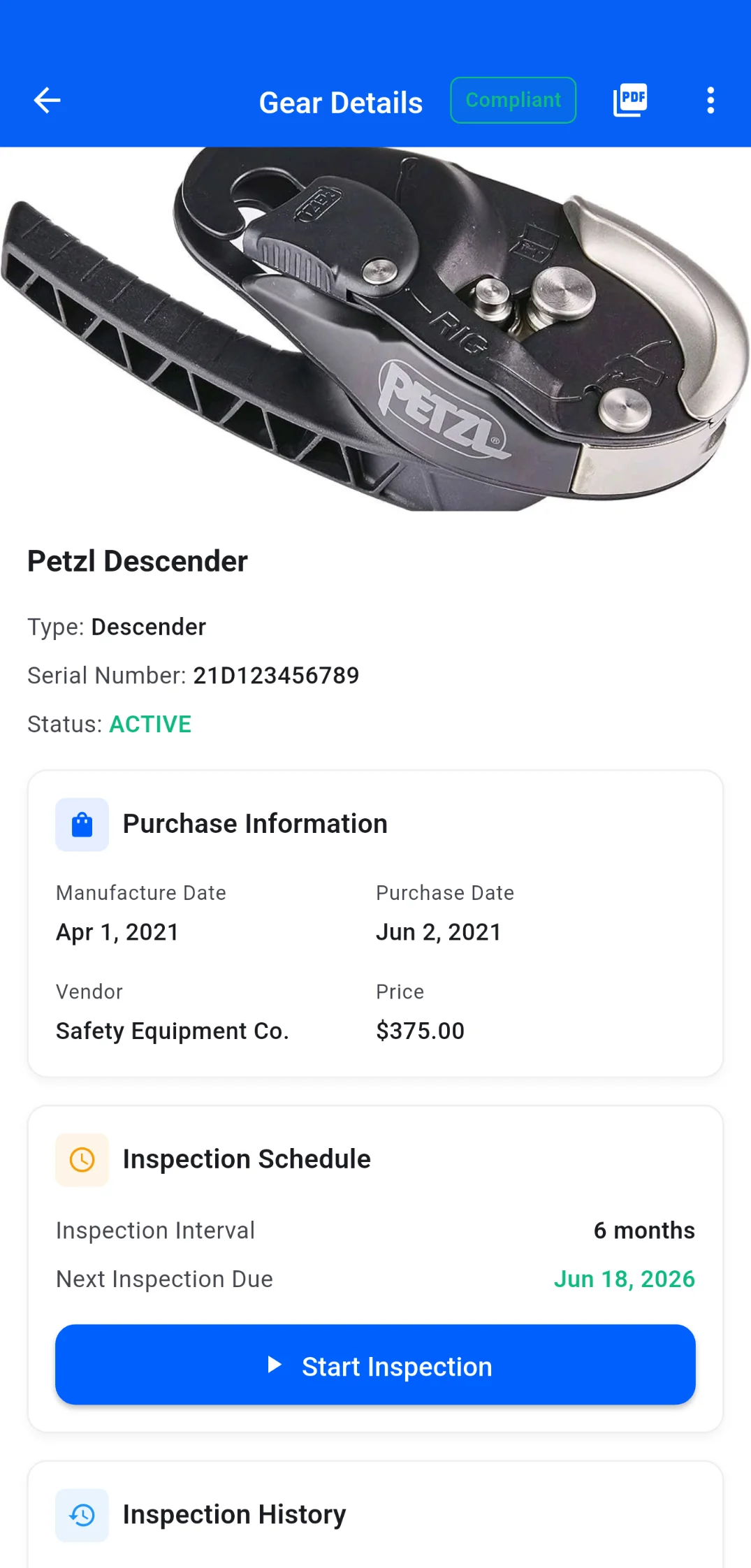
Check inspection status before assignment
See which assets are overdue, due soon, or clear before adding them to a project gear list. Inspections with photo evidence and severity levels.
Build a project gear list
Assign gear to projects so H3ightboard knows what equipment is going where. Kits deploy as a unit — check-out, check-in, and transfers tracked.
Preserve inspection evidence for audit
Every inspection result, photo, and finding feeds into audit-ready records. When the auditor asks, the evidence is already organized.
Why H3ight is different
Most tools capture data. H3ight turns it into a go/no-go dispatch decision.
Decision layer, not form capture
Generic tools record the JSA or inspection. H3ight tells you whether the crew can actually go.
Blockers surface automatically
Spreadsheets and group chats hide what's blocking a job. H3ightboard makes blockers visible before dispatch.
Cert gating built in
IRATA/SPRAT L1–L3 cert requirements are baked into staffing and scheduling — not bolted on after the fact.
One record, bid to audit
From bid to dispatch to audit bundle — one connected record with no re-keying across disconnected tools.

How H3Gear shows up on H3ightboard
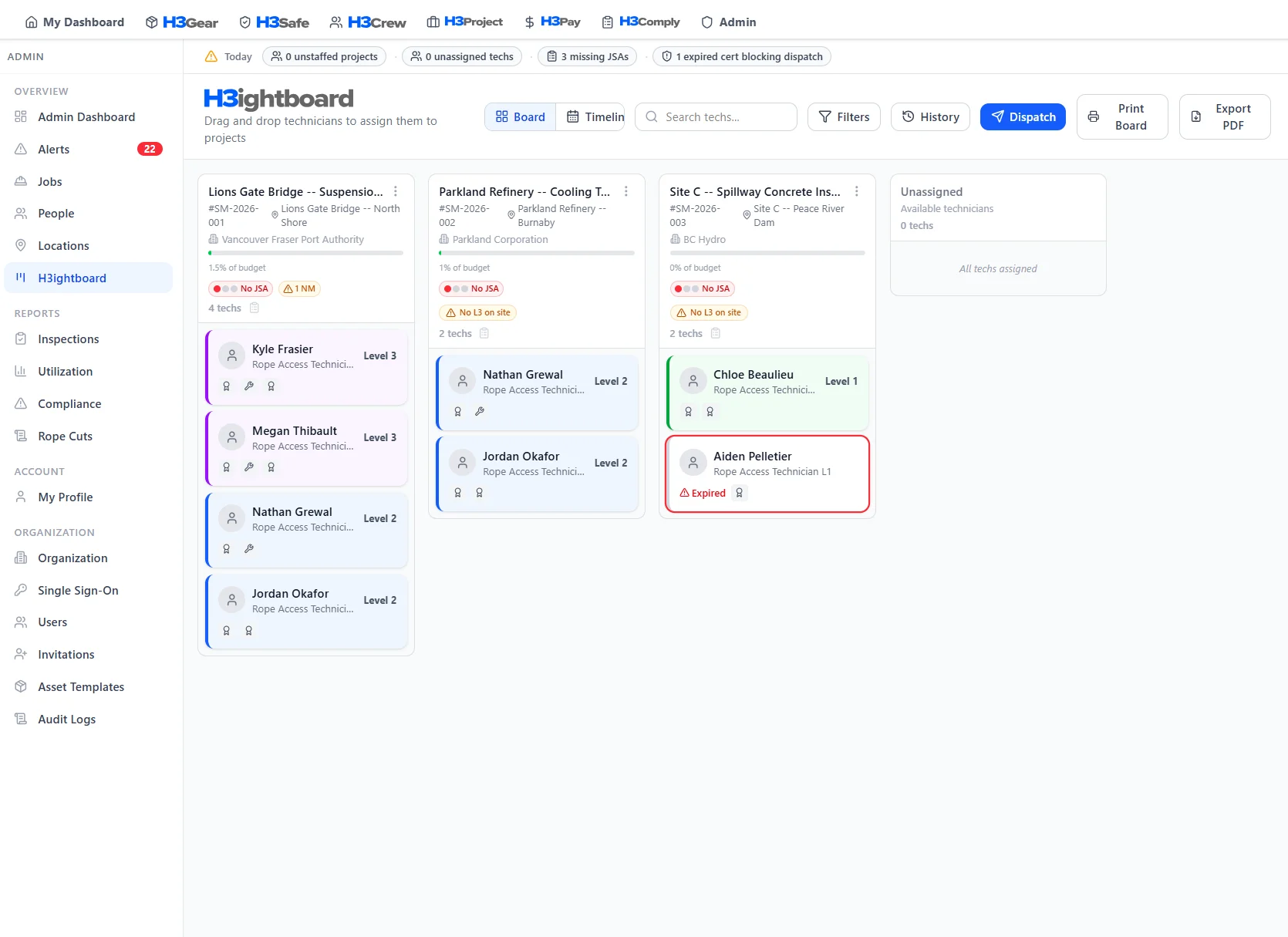
Gear signals surface on H3ightboard so you catch inspection gaps and missing gear lists before dispatch — not after the crew arrives on site.
 Board signals
These signals surface on every project column in H3ightboard, so nothing gets dispatched without visibility.
Better with the full platform
H3Gear works on its own — but it gets more powerful when connected to the rest of H3ight.

Assigned gear appears in the JSA packet. Inspection status visible in safety docs.
Learn more
See which tech has which kit. Gear follows crew assignments automatically.
Learn more
Inspection records feed directly into audit evidence bundles.
Learn more
Track equipment costs per project for accurate job costing.
Learn more
Equipment rental costs flow into job costing and payroll data.
Learn more
Technicians manage personal gear on mobile. Company gear syncs both ways.
Learn moreFrequently Asked Questions
Common questions about H3Gear
Stop guessing which gear is inspection-ready.
See how the H3Gear module feeds your H3ightboard. Book a walkthrough.