

You hired the right people. Now make sure the right ones are on the van tomorrow.
H3Crew matches availability, certs, and skills to every job — so the crew that shows up is the crew that fits.
What changes when H3Crew is live
From group chat availability and memory-based staffing to searchable crew bench with certs and project fit.
- Group chat to check availability
- Memory-based staffing decisions
- No visibility into cert expiry dates
- Double-bookings discovered on site
- Searchable crew bench with filters
- Cert and skill match visible per project
- Expiry alerts before assignment
- Availability calendar prevents conflicts
How it works
Three workflows that change your daily operation.
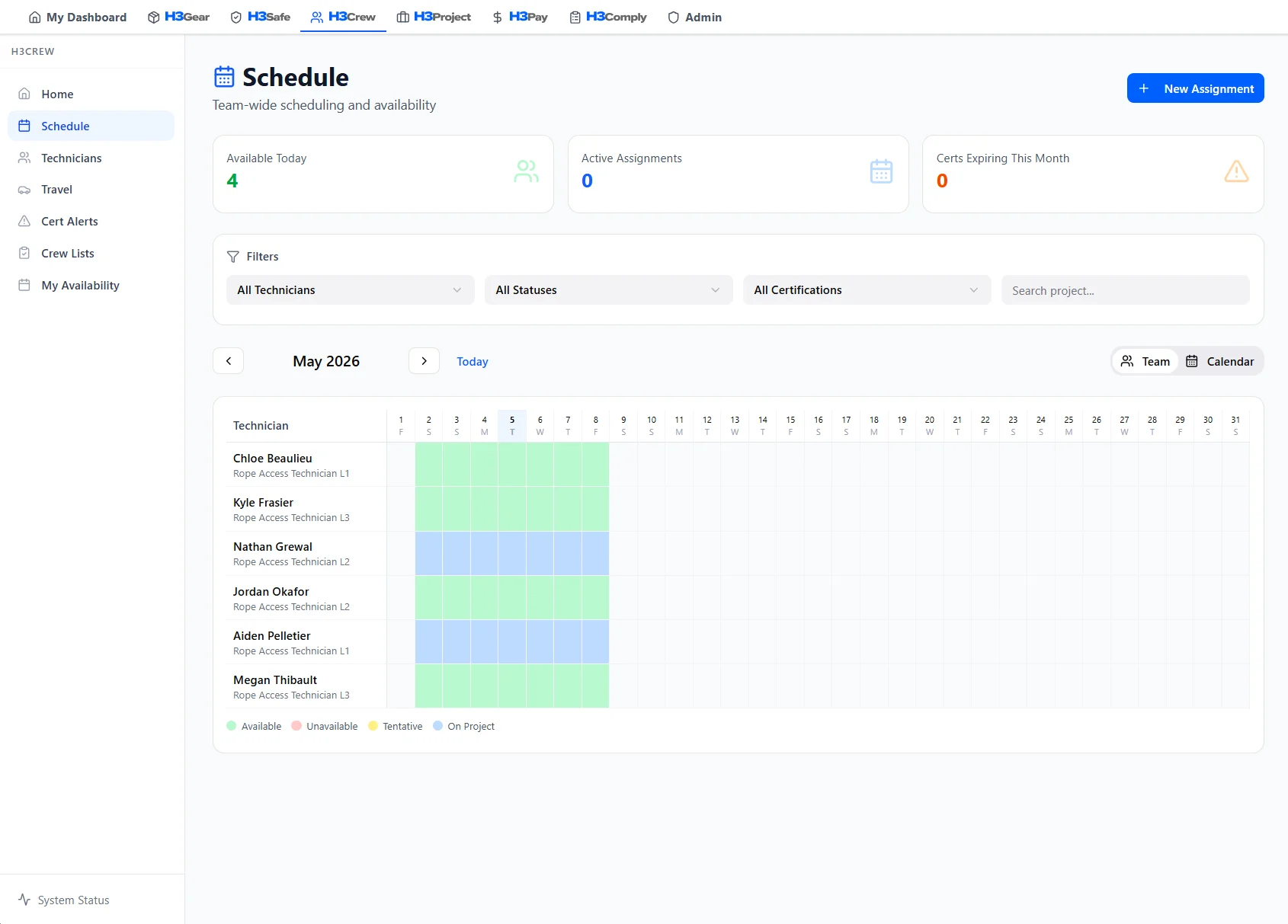
See who is available
Visual calendar with daily availability, current assignments, and bench status. Filter by cert level, skills, and location to find the right tech fast.
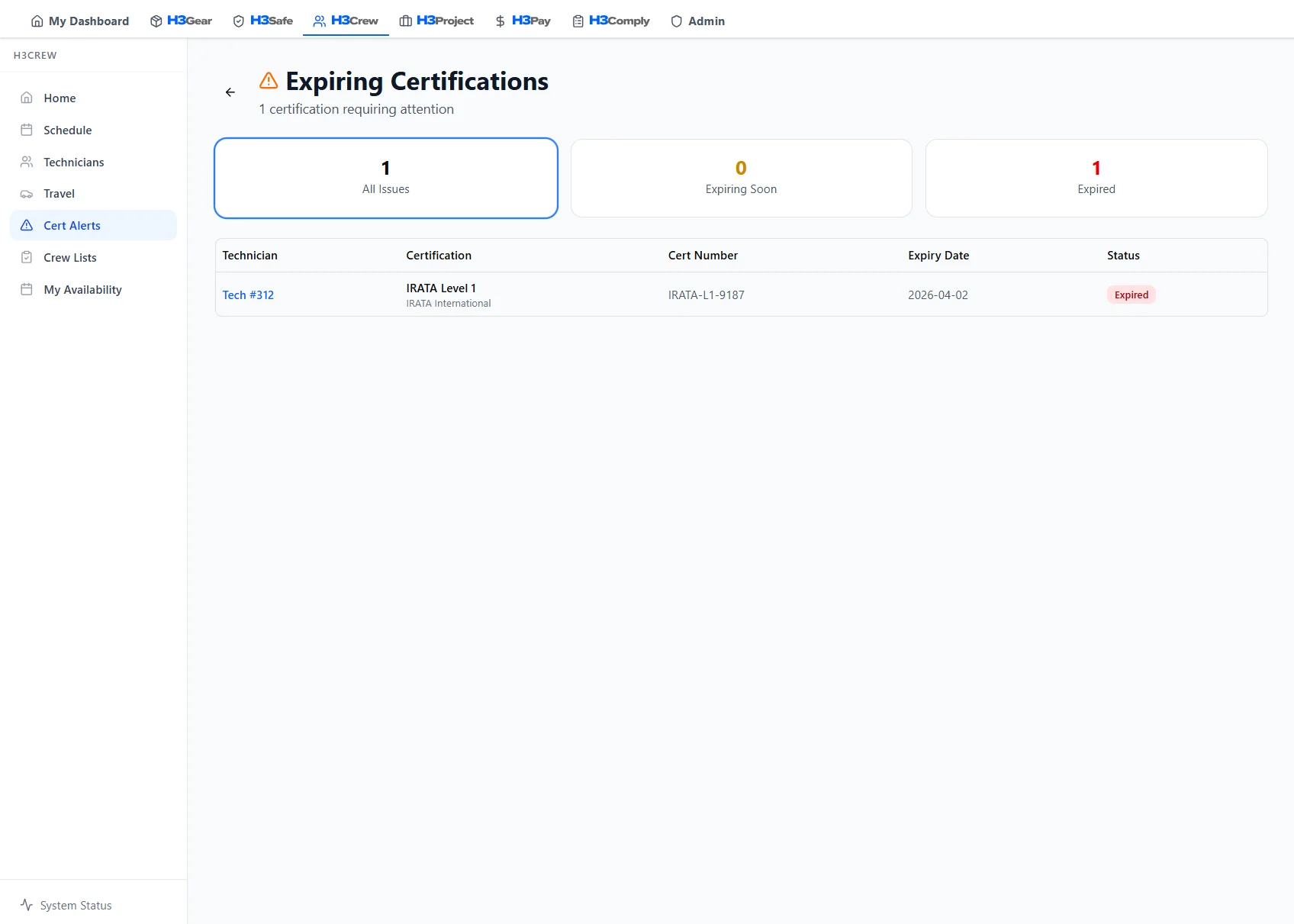
Catch cert blockers before assignment
Expiring and expired certs surface as warnings. 90, 60, and 30-day alerts keep your team dispatch-ready year round.
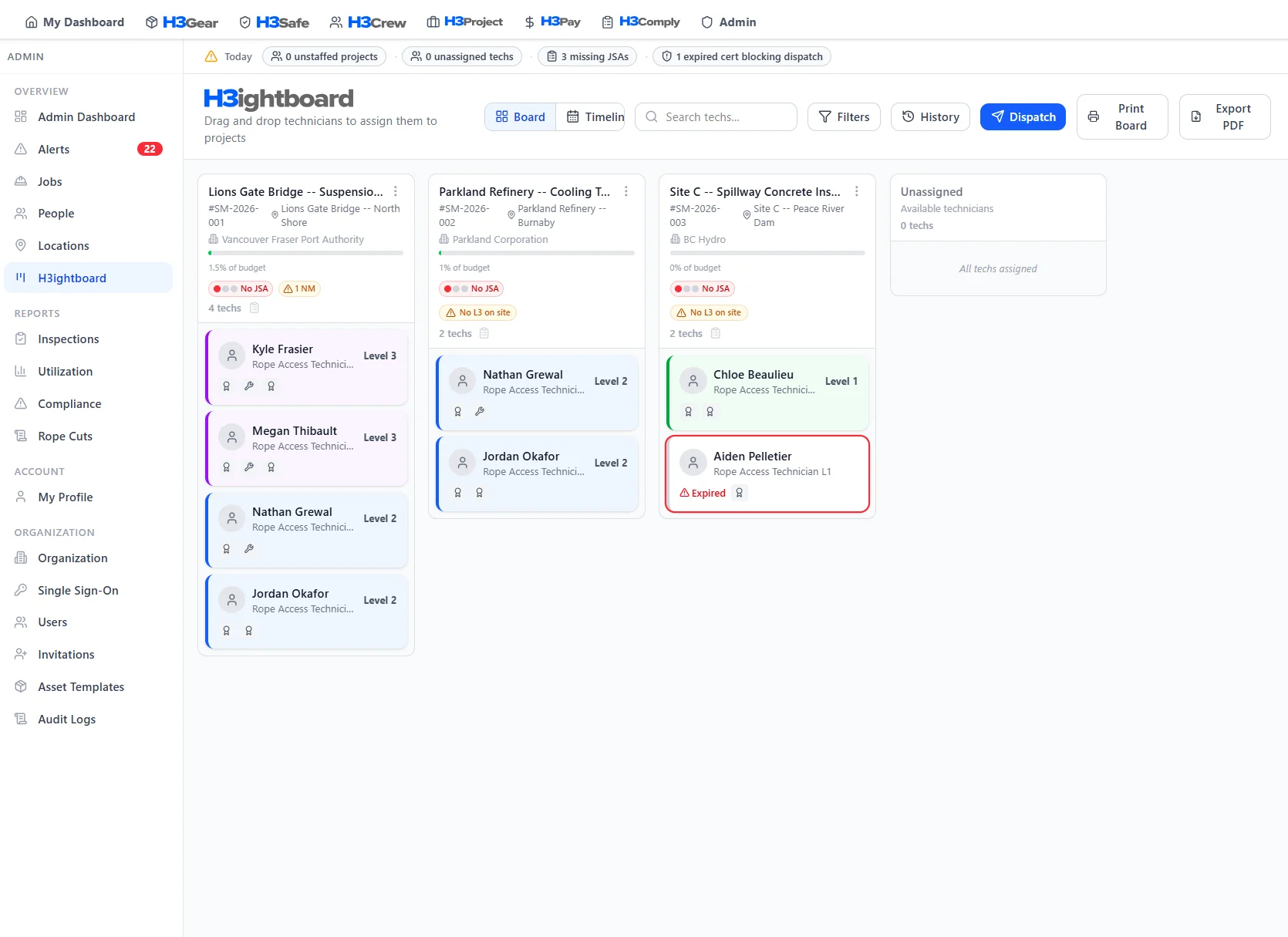
Staff projects from H3ightboard
Drag techs onto projects with cert-match halos. H3ightboard shows staffing requirements, satisfied slots, and skill gaps in real time.
Why H3ight is different
Most tools capture data. H3ight turns it into a go/no-go dispatch decision.
Decision layer, not form capture
Generic tools record the JSA or inspection. H3ight tells you whether the crew can actually go.
Blockers surface automatically
Spreadsheets and group chats hide what's blocking a job. H3ightboard makes blockers visible before dispatch.
Cert gating built in
IRATA/SPRAT L1–L3 cert requirements are baked into staffing and scheduling — not bolted on after the fact.
One record, bid to audit
From bid to dispatch to audit bundle — one connected record with no re-keying across disconnected tools.

How H3Crew shows up on H3ightboard
Crew signals on H3ightboard show staffing levels, cert status, and availability so you staff the right people before the job starts.
 Board signals
These signals surface on every project column in H3ightboard, so nothing gets dispatched without visibility.
Better with the full platform
H3Crew works on its own — but it gets more powerful when connected to the rest of H3ight.

Deploy kits to crew members. Track who has what equipment at every site.
Learn more
Only certified techs appear on JSAs. Cert status checked automatically.
Learn more
Assign techs to projects with roles and rates. Feed hours into invoices.
Learn more
Crew assignments drive timesheet calculations and per diem rates.
Learn more
Cert tracking satisfies IRATA/SPRAT personnel competency clauses.
Learn moreFrequently Asked Questions
Common questions about H3Crew
Stop staffing from memory and group chats.
See how the H3Crew module feeds your H3ightboard. Book a walkthrough.