

Hours, expenses, and job costs — captured clean. No angry texts.
H3Pay captures accurate time, expenses, mileage, and per diem — tied to job codes — with built-in state-specific overtime rules, then exports clean, audit-ready payroll data to your accounting or payroll system. Know what every job actually cost. No new payroll system to trust — just accurate numbers feeding the one you already use.
What changes when H3Pay is live
From texts, spreadsheets, and late receipts to export-ready field data tied to assignments and job codes.
- Hours reported by text message
- Spreadsheets rebuilt every pay period
- Late receipts and missing per diem
- Reconciling payroll data takes days
- Digital timesheets in project context
- Per diem and mileage auto-calculated
- Expenses captured with photo receipts
- Export-ready data without the chase
How it works
Three workflows that change your daily operation.
Capture time in project context
Digital timesheets tied to project assignments. Hours logged against the right job, with the right rate — no manual reconciliation.
Track per diem, mileage, and expenses
Per diem rates by location, mileage reimbursements, and expense receipts — all captured digitally and tied to the assignment.
Prepare payroll data without rebuilding the week
Export calculated hours, per diem, expenses, and job costs for your accounting or payroll system. H3Pay doesn't run payroll or cut checks — it feeds clean data to the system you already use.
Why H3ight is different
Most tools capture data. H3ight turns it into a go/no-go dispatch decision.
Decision layer, not form capture
Generic tools record the JSA or inspection. H3ight tells you whether the crew can actually go.
Blockers surface automatically
Spreadsheets and group chats hide what's blocking a job. H3ightboard makes blockers visible before dispatch.
Cert gating built in
IRATA/SPRAT L1–L3 cert requirements are baked into staffing and scheduling — not bolted on after the fact.
One record, bid to audit
From bid to dispatch to audit bundle — one connected record with no re-keying across disconnected tools.

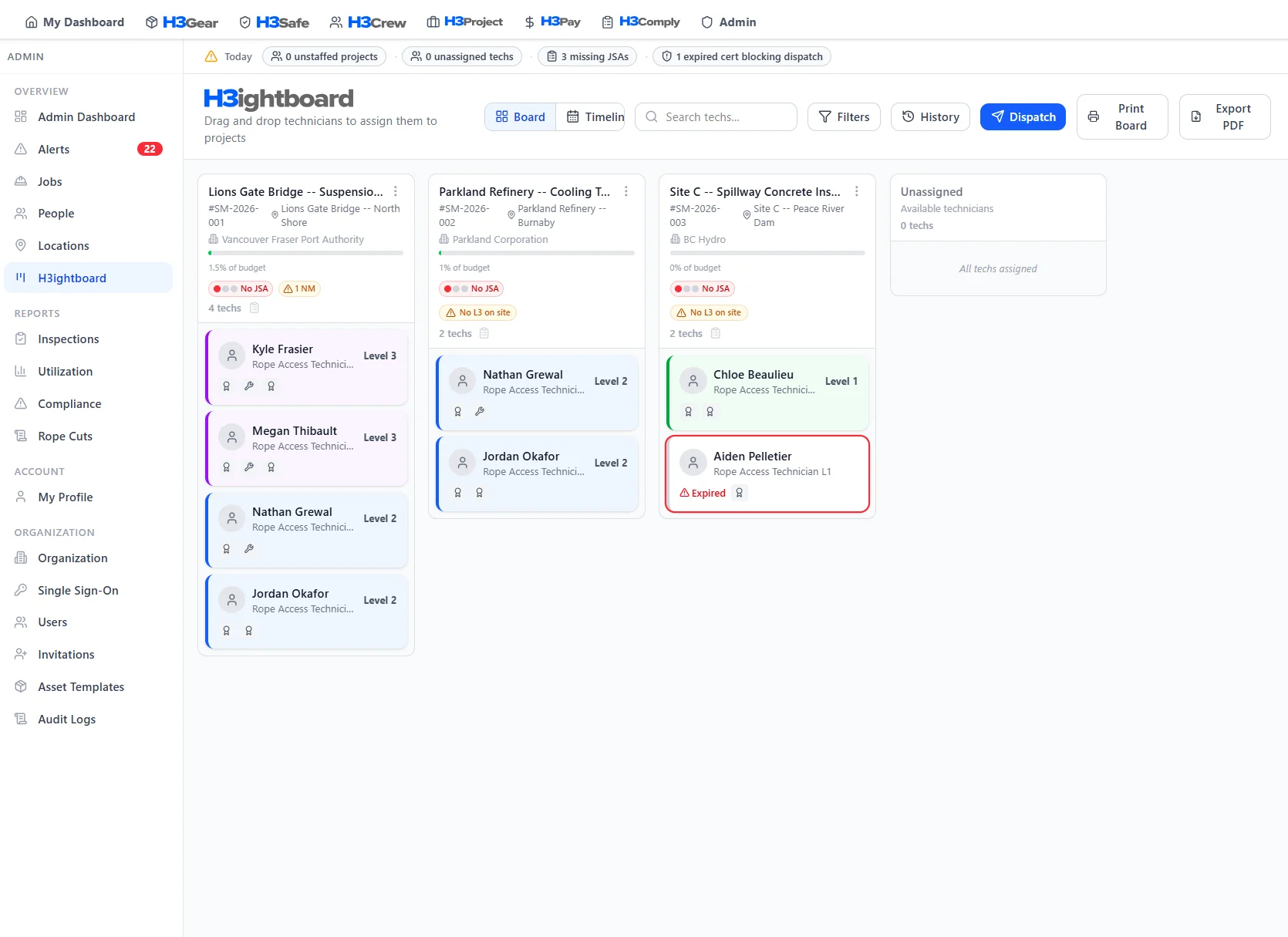
How H3Pay shows up on H3ightboard
Pay signals on H3ightboard show timesheet status, daily crew cost, and payroll data readiness — so you know the financial picture before dispatch.
 Board signals
These signals surface on every project column in H3ightboard, so nothing gets dispatched without visibility.
Better with the full platform
H3Pay works on its own — but it gets more powerful when connected to the rest of H3ight.

Time entries import directly from projects. Billing, job costing, and payroll data stay in sync.
Learn more
Crew assignments drive pay rates, per diem, and travel reimbursements.
Learn more
Equipment rental charges auto-populate from gear deployment records.
Learn more
Safety-related expenses and per diem tied to job requirements.
Learn more
Payroll data and expense records feed into financial compliance clauses.
Learn moreFrequently Asked Questions
Common questions about H3Pay
Stop chasing texts and receipts every pay period.
See how the H3Pay module feeds your H3ightboard. Book a walkthrough.