

Daily progress, without the daily phone call.
H3Project turns crew check-offs into a client-ready picture of the job — what's done, what's left, where the delays are.
What changes when H3Project is live
From phone calls, photos, and separately written daily reports to check-offs roll up into a shared picture of the job as they happen.
- Crew sign off on paper or in a separate app
- Managers rewrite progress for the client
- Delays surface late in the job
- No history tied to a specific spot on the structure
- Reusable step templates keep every task consistent
- Pass/fail per step shows where work stopped
- Progress rolls up to the project and the client the same day
- Work history searchable by Location > Zone > Spot
- Preflight sees task status before the crew leaves
How it works
Three workflows that change your daily operation.
Build the job from reusable step templates
Create projects and tasks, then apply step and checklist templates your team already uses. Every task starts with the right sequence, pass/fail criteria, and expected durations.
Check off work at the right Zone and Spot
Each step is tagged to a Location > Zone > Spot on the structure, nesting up to six levels deep. Crew know exactly where the work happened, and managers see progress by location.
Turn check-offs into daily reports and delay visibility
As steps are checked, H3Project rolls progress into a client-ready daily report. Delays and blockers are logged with a reason, so everyone sees what's done, what's left, and where the schedule is slipping — without a separate phone call or write-up.
Why H3ight is different
Most tools capture data. H3ight turns it into a go/no-go dispatch decision.
Decision layer, not form capture
Generic tools record the JSA or inspection. H3ight tells you whether the crew can actually go.
Blockers surface automatically
Spreadsheets and group chats hide what's blocking a job. H3ightboard makes blockers visible before dispatch.
Cert gating built in
IRATA/SPRAT L1–L3 cert requirements are baked into staffing and scheduling — not bolted on after the fact.
One record, bid to audit
From bid to dispatch to audit bundle — one connected record with no re-keying across disconnected tools.

How H3Project shows up on H3ightboard
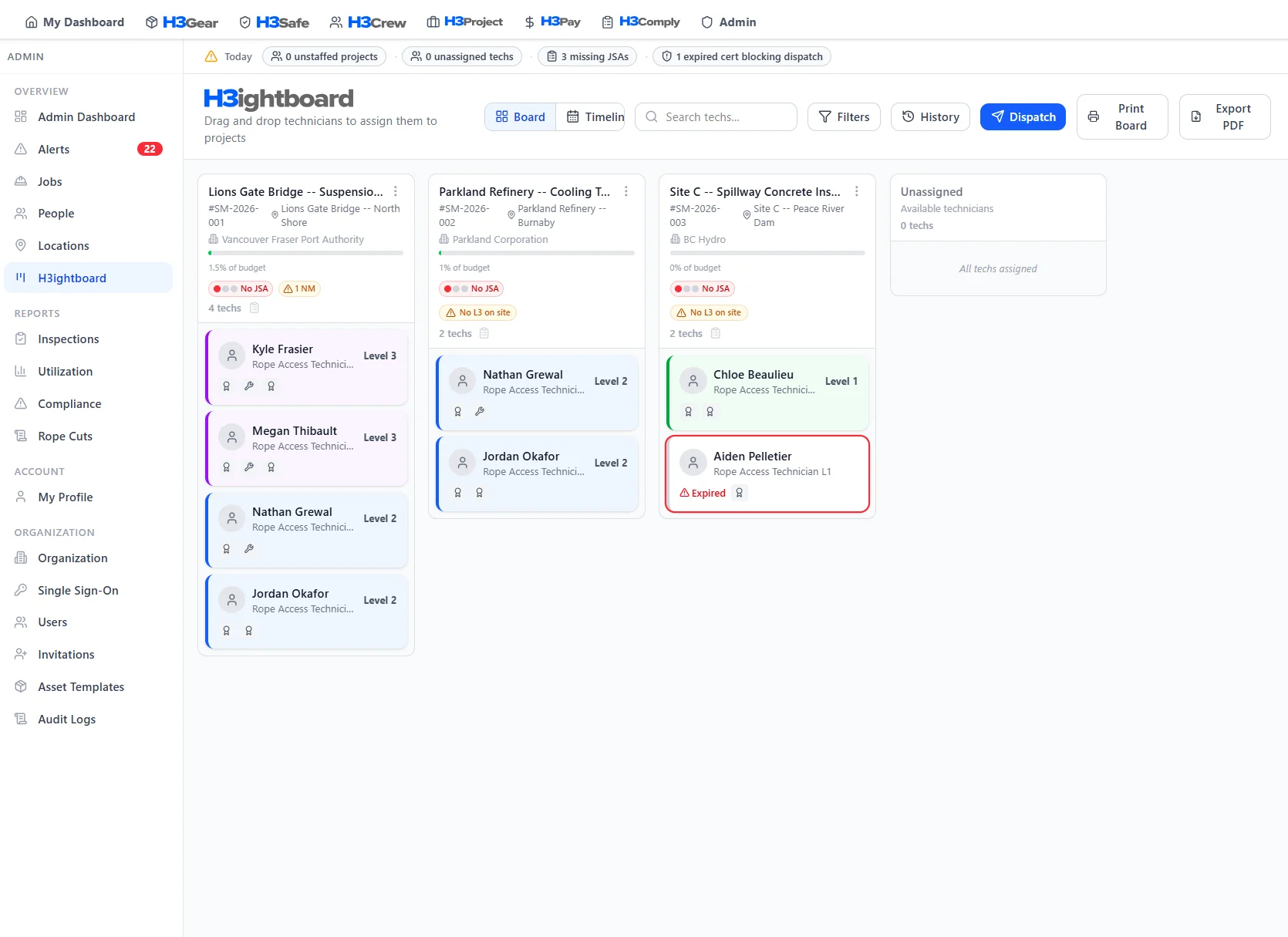
Project signals on H3ightboard show task completion, failed steps, delays, and location progress — so the crew, manager, and client stay on the same page before dispatch.
 Board signals
These signals surface on every project column in H3ightboard, so nothing gets dispatched without visibility.
Better with the full platform
H3Project works on its own — but it gets more powerful when connected to the rest of H3ight.

Task and project progress feed billing and job costing, so invoices reflect actual work completed.
Learn more
Crew assignments and qualifications drive who can check off which tasks and steps.
Learn more
Gear deployment and inspection status appear alongside tasks so the right equipment is at the right spot.
Learn more
JSAs and rescue plans linked to project tasks keep safety and work execution in one place.
Learn more
Hours and per diem logged against project tasks flow cleanly into payroll data.
Learn more
Work records and daily reports become audit evidence tied to compliance clauses.
Learn moreFrequently Asked Questions
Common questions about H3Project
Stop writing the job status from scratch every night.
See how H3Project turns crew check-offs into a client-ready picture of the job. Book a walkthrough.